Home Blog Page 11

Ways To Transform Customer Communications

0

Hospitality and medical/nursing activities are the two most common healthcare industry divisions.

A hospital, health centre, or nursing home provides healthcare services and facilities. At the same time, a hotel, restaurant, or restaurant offers food and beverage service, event planning, or transportation under the hospitality business umbrella.

According to research, more than half of consumers did not use their health insurer’s or healthcare provider’s website or mobile app last year. Patients are left feeling bewildered and frustrated by lengthy explanations of basic concepts like co-pays, deductibles, and out-of-network expenses.

Hence, it is imperative that healthcare businesses listen to their patients to learn how they want to be involved throughout their journey, as there is sufficient opportunity to enhance the patient experience outside the doctor’s office.

Here are ten ways a customer communication management solution might help your healthcare organisation:

1. Generating A Positive Emotion

A patient’s loyalty to their nurse and health care providers is based on three factors:

  • A strong sense of trust in the healthcare practitioners by the patients.
  • Healthcare workers’ ability to operate together as a team.
  • Customers’ concerns and complaints are taken care of by the organisation’s employees.

Positive feelings are constantly elicited by human contact. You can show your consumers that you care about them by observing their eyes instead of staring at the computer screen.

Consequently, excellent customer service abilities in hospitality can influence your patient’s desire to return and their readiness to recommend your healthcare organisations.

2. Integrated Omnichannel Communications

In Integrated omnichannel communications, you expect that healthcare providers will also consider their preferences.

A communication management system quickly becomes critical to maintaining patient communications in sync. Given the sheer volume of communications, you must provide and the recent and ongoing growth of communication channels.

3. Accessibility Compliance

As your company struggles to fulfil the demands of day-to-day operations, it may be challenging to meet the accessibility requirements.

It is possible to address the needs of a vast and rising group of patients with disabilities by working with an experienced partner.

4. Enhanced Patient Experience

Providing patients with digital choices for reviewing and paying their communications and bills is an easy method to increase engagement and confidence as the world shifts online.

Because of the post-pandemic shift to digital technology, patients will weigh their doctors’ digital skills when deciding whether or not to switch. Your healthcare firm can keep up with the times and keep patients by implementing customer communication management software.

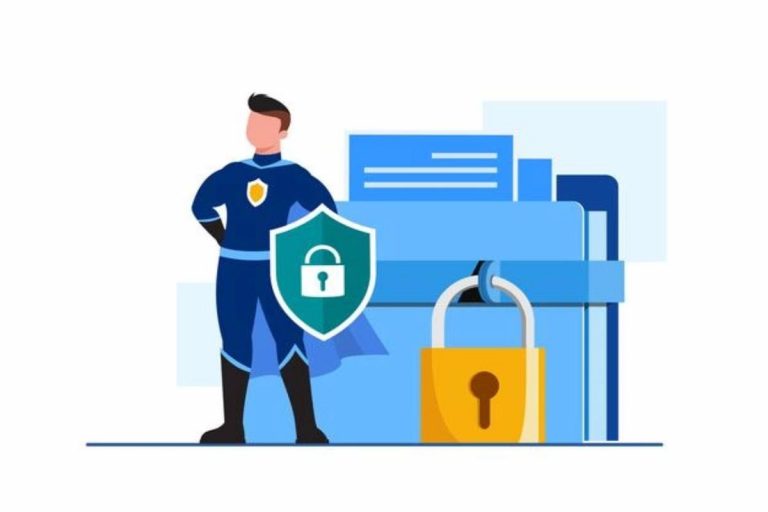
5. Improved Security & Regulatory Compliance

Data security and regulatory compliance are improved because healthcare data is naturally ultra-sensitive.

To protect customer information, companies in this area utilise Customer Communication Management (CCM) systems specifically designed with security and privacy. This level of protection may not be available in home-grown communication solutions.

6. Simplified Payments

Your patients should be able to quickly pay their bills since they need to know what they owe and how to do so.

Reduce your revenue cycle time while improving patient convenience with an integrated, multi-channel customer communication and payment management solution. Both your business and your patients will benefit from this.

7. Multitasking Skills

Working in a demanding industry like healthcare or hospitality necessitates the ability to perform numerous activities at once.

Businesses in the hotel industry have tried to save costs in recent years by reducing the number of employees and increasing their efficiency. Employers are forced to ask their staff to take on more duties with fewer people working. It is possible to gain an edge in the job market by multitasking.

8. Cultural Awareness

Because tourists from all over the world might visit your healthcare organisation, the personnel working in customer service must be fluent in various languages and dialects.

Understanding the cultural norms of different countries and how to break down the barriers is essential to communicating effectively with people from other countries.

Employees in this field will have an easier time advancing their careers if they can identify the nationalities of the clients they serve.

9. The Ability To Adapt

Healthcare customer service requires a higher degree of adaptability than in other businesses. People in the hotel industry often have to work nights and weekends, which necessitates a high level of flexibility in their customer service skills.

Additionally, they must be able to perform various tasks at once and switch jobs swiftly if necessary. Flexibility is one of the most crucial aspects of excellent customer service abilities.

10. Languages Skills

In the healthcare industry, fluency in more than one language is usually beneficial because it increases a person’s value as an employee.

Customers will be more satisfied and loyal if you can communicate with them in their language, so it’s essential to learn their language.

Why Invest Time & Money in Healthcare Customer Experience Improvement?

It is expensive for health insurance to have disengaged patients. As a result, two-thirds of patients have to pay more out of their own pockets and their insurance companies. By a wide margin, customers call customer support because they believe they are in-network or have issues with cost and coverage.

There is a general lack of trust among patients and clinicians regarding digital tools, behavioural changes toward proactive healthcare, and patient consultations. If dissatisfied with their existing plan, they will not hesitate to switch insurers.

However, as previously said, they are frequently misinformed. Involved customers are less expensive, more knowledgeable about their healthcare options, and more likely to stick around since they are more satisfied with their service.

Conclusion

Patients’ experiences with selecting a health plan, learning about benefits, and comparing the costs of in-network vs out-of-network care might vary widely. Still, for the most part, patients must consult a lengthy booklet or a chatbot to determine how to get the most value from their plan.

Increasingly, customers are looking for a healthcare experience that is as easy, convenient, and transparent as the ones they have come to expect from digital leaders in the banking, retail, and other areas of their lives where they shop.

How to Trade Futures With a Binance Futures Bot

If you are looking to trade futures on Binance, you’re in luck! You can automate your trading with the help of a Binance futures bot. The best futures trading bots available on the market can help you make money. However, it’s important to be careful when choosing a trading bot. Some of them have been known to exploit order books, and may even violate the rules of the exchange. Fortunately, the majority of them do not.

The best futures trading bots are ones that are user-friendly and offer a number of features. Whether you want to use an advanced algorithm, or an auto-grid trading strategy, there’s a bot to suit your needs. It’s also important to choose an exchange that charges a fair amount of fees.

To get started, you need to create a Binance account and prepare a 2FA (two-factor authentication) key. This can be an email, phone, or authorization app code. After you’ve completed this step, you’ll be able to authorize the bot to perform its functions.

Futures bots have the capability to liquidate positions and predict the direction of the price. They are also capable of performing margin trading. Margin trading requires a certain amount of collateral to ensure that the price won’t go in the opposite direction. As a result, futures bots are not always profitable. But with proper leverage, you can boost your profit potential.

Binance offers a number of pre-built strategies that you can choose from. These include C# script, Crypto Index, Market Maker, and Inter-Exchange Arbitrage. Users can even customize their own bot. There’s also the possibility to import and copy trading rules from other bots. Traders can then copy the strategies of expert traders and make money with them.

Another option is to use a python-binance module to develop your own futures bot. This is an easy and efficient way to get started. With a python-binance bot, you can trade crypto and futures. Using a python-binance trading bot means you can have an automated buy or sell order. A python-binance module can provide all of the features you need for building your own trading bot.

If you’re just starting out, you might want to consider using the free 3Commas Bot. In this case, you’ll be able to connect to 18 different exchanges. You can also use a paid version, if you want to access more futures contracts. Alternatively, you can copy other bots’ strategies to create your own custom strategies.

You can also use the GoodCrypto app, which provides a number of different futures trading bots. For instance, you can create an Infinity Trailing algo, which helps you gain from volatility in the markets. Instead of manually juggling stop orders, the Infinity Trailing bot sends trailing orders to catch significant market movements. When the profits reach the predefined target, it automatically stops.

Finally, you can consider using a Bitsgap futures bot. This is one of the more popular options for trading on Binance. The company was established in Estonia in 2018. Before you start trading, you’ll need to sign up for a Bitsgap account and transfer your USDT-USD token to Binance. Once you have done this, you can start launching a trading bot.

The 10 Best Sites To Create A Free Website

Today, anyone can create a website, regardless of their level of technical knowledge. We know it might sound complicated, but right now there are tools to make it easier for you. This article will provide you with a step by step guide on how to build a website. Free Website

If you want to build your website, be it personal or professional, and be one of the 726 million active existing websites, on abc.es we offer you a “Top 10” list of the best sites to do it for free, following the results of the opinion poll carried out among 43,647 people on the blogging.org portal. Free Website

1. Wix.

Wix is a platform for building Web pages in the HTML5 programming language . Its main feature is the Drag & Drop system, that is, drag and drop, which makes it very intuitive and ideal for anyone without programming knowledge to create a website on the Internet.

At Wix, we can build our website the easy way with impressive results. Wix hosts over 26 million websites on its platform and over 30,000 daily users are logged.

2. Weebly.

Weebly is an online platform to create web pages and blogs for free and without the need for great technical knowledge on the matter. It is a very simple and intuitive interface that allows the user to create their own website quickly and easily.

Weebly offers a powerful drag-and-drop system in the editor and a hundred professional templates to create a web page. Over 12 million people currently use Weebly.

3. 000host.

Transparency is their motto, there are no hidden costs. Free accounts have 1.5 GB of disk space, 100 GB of traffic. They proudly claim that their servers have been online 99.9% of the time in the past 5 years.

We believe in the power of ideas. To make them happen you need powerful tools that are reliable, easy to use, and give your creative mind enough freedom. This mindset was what led us to become the leaders in free web hosting services and our users are the proof

4. Yola.

It is a website builder and website hosting company based in San Francisco. However, it was founded in Cape Town, South Africa. People without programming and graphic design skills can make websites using Yola. Its drag and drop system allows users to incorporate widgets without knowing HTML. These are some of the great benefits of accommodation in Yola.

It allows you to create professional looking websites in minutes without any technical background. It currently has 7 million customers.

5. EDUBlogs.

Designed for students and educators, it is recognized as the most widely hand-me-down service for .edu websites. Right nowadays they have 1.6 million blogs and 32 GB of free space for students and teachers. It remains used by universities like Stanford.

6. Freehosty.

This service offers 250MB of disk space and 6GB of traffic, less than the rest, its strong point is its 24/7 support and its 99.9% service guarantee.

7. Canvas.

Webs.com is a very easy to use system with hundreds of templates to customize your website with. In return for the service, webs.com installs a small advertisement on your website. Recording takes 30 seconds, and the web is finished, about an hour.

8. 5 GB free.

20 GB of disk space, 3 MySQL databases, c-panel, and above all, 100% free without advertising.9. Jimdo.

A basic and sign up, fast service, choose a theme and the web is up and running. It has, it currently has around 7 million hosted portals.

10. Free Hosting.com.

They have several simple tools and services to make your website attractive. FreeHosting is 100% free service with no pressure to buy or pay for anything.

Conclusion

Extra If you want to consolidate and share information, such as images, documents and links, all in one web page and without complications, in a minute it’s all done.


Smartphone – What is a Smart cell phone?

0

Smartphone have come to stay and indeed produced a profound alteration in people’s lives. Since it was creating, they have not stopped evolving and incorporating new features.

ARTICLE CONTENT

Definition of Smartphone

Why do we approximately that a Smartphone is a micro?

What features does a Smartphone or Smart Mobile Telephone have?

The computer of the Smartphone

RAM Memory

The interior Memory of the Smartphone

The scope of the Smartphone screen

The cordless of the Smartphone

The photograph camera of the Smartphone

What are the Gain and Drawbacks of Smartphones?

Compensations of Smartphones

Difficulties of Smartphones

Brief historical appraisal of Smartphones or Smartphones

What requests can a Smartphone consume?

Meaning of Smartphone or Smartphone.

A smart cell telephone (called a smartphone in English ) is strictly a concise computer, added to a traditional mobile handset (making phone calls, distributing SMS messages, etc.). We can home the smartphone middle between a conventional cell phone and a processer as it unites the competencies of both ends.

Why do we approximately that a Smartphone is a micro?

A Smart Phone or Smartphone is a portable calculation stage. Currently, they have a greater volume to store data and achieve activities simultaneously. They can comfortably accomplish many tasks that an old-style computer does. For this aim, in a way, they are replacing desktop computers, relegating them to charges of more incredible difficulty and for when visual ease is needed to effort. They have full connectivity to the Net and between phones, which allows information to be easily shared. We can say that a Smartphone or Smartphone is a concise computer.

What characteristics does a Smart mobile or Smart Mobile Phone have?

The different features that we can develop are directly related to the parts of the smart cell phone.The speed of the phone, its features, and the cost of smartphone insurance are what you must take into account when buying a “smart mobile”

1-The processor of the Smartphone.

It is a fundamental component of any smartmobile. The computing power to perform the task depends on it. The higher the speeds of the processors, the higher the phone’s performance, giving the feeling that it “flies” when working. The processor’s speed is published in the box of the device and can be evaluated fundamentally by the number of cores it has. Currently, machines come with 4 or 8 cores (or cores); 8 seats are faster.

2-RAM Memory.

This is a memory that the Smart mobile uses to work and function. It is speedy and allows you to store open applications and temporary data while the device is used and turned on. It is like a lung that giving the phone the ability to breathe. The higher the RAM, the better. Your information disappears and is erase when the device is turn off. It is measure in GigaBytes, and smartphones can have from 2 GB, 4 GB to 6 GB of RAM. If we open many applications, the RAM will fill up, and the smartphones will slow down.

3-The Size of the Smartphone Screen.

The Screen of a Smart mobile is significant for the daily experience that the user has with it. You have to look for a screen with better resolutions, clarity, and color quality, but the choice of its size is essential since it determines the size of a Smartmobile

Small Screen. Under 4.5 inches: The main reason to buy a small screen smart mobile are its compact design. With the fingers of one hand, you can reach all sectors of it.

Medium Screen. from 4.5 to 5.4 inches: The most popular smartphones have this screen size. They are pretty comfortable to use with one hand.

Large Screen or phablet. From 5.5 inches: These are devices more likely to be used with two hands. They are more comfortable watching videos, reading e-books, playing games, etc.

4-The photo camera of the Smartphone

With the appearance of Smartphones, most of the users take their pictures using their cameras instead of traditional digital cameras.

This causes manufacturers to put in better-resolution cameras as time goes on.

The cameras of Smartphones vary in Megapixels, for example, 5, 16, 20, or 48 Megapixels.

The more, the better. It shoulds are noting that other factors make cameras different, such as lens quality, light sensor, speed, lens aperture, etc. You also have to evaluate the presence of the Front camera and the Flash they have. The characteristics of the cameras are also display on the phone case.

What is an SEO and its Functions

SEO combines marketing, sociology, and a technical part that is fundamental in any digital strategy today. SEO experts understand how users research and implement website improvements to drive traffic. When it comes to job advertisements, you usually have two options:

  • Agency work for several clients
  • Work internally in the marketing department of a company

When we talk about qualities, we can say that a good SEO manager is proactive and curious because search engine development is constant and needs to be recycled continuously. The profiles are very different: computer scientists, business, marketing and telecommunications experts, journalists, etc.

The demand for these profiles has grown exponentially in the wake of the pandemic. According to a consulting firm Michael Page report, hiring SEO positioning-related services has increased 36.94%, while the demand for professional digital strategy experts has increased 30.4%.

There is no college degree to certify you as an SEO manager or SEO specialist as it is a very hands-on profession that requires testing, forecasting, and analysis. We are talking more about a specialization. So, if you are planning on dedicating yourselves to the world of SEO, read on and learn what their features are in the business, their qualities, and the keys to becoming a factual search engine positioning professional.

SEO functions within the company

Usually, the job of an SEO manager focuses on attracting organic traffic and increasing the sales of a website. However, this professional figure has changed and has adapted to the new search engine algorithms. In this way, the SEO manager had to acquire additional skills and at the same time be a content optimizer, taking into account the user experience and making decisions regarding digital strategy, as well as being creative and educational to survive.

Manage and optimize content

In the marketing industry, “content is king.” For this reason, most copywriters are directly cohesive into the SEO team. The content creator is the person responsible for producing valuable material for their digital audience. Offering valuable content to users allows companies to get closer to their target audience.

The content must be original and unique. The objective is to awaken the interest of the users. Once that is achieved, we will know their tastes and how they react to the launches. While copywriters focus on creating content, SEO managers focus on tweaking it attractive to Google’s cobwebs. Regarding content, we include those of social networks and those of the web and blog.

User experience

The SEO manager works to know what users want to find when they visit a web page. To drive more organic traffic to your website, you must know how to provide a good user experience. We could say that SEO and user experience go hand in hand because they have common goals. Google no longer only shows well-positioned results, and the pages it knows will meet users’ needs.

Publishing quality content helps users find the answers they are looking. A good title and tag SEO strategy, in turn, helps both positioning and improving the user experience.

Digital strategy

The SEO manager needs to be involved in the digital strategy as he is the one who spends most of his time on the website analyzing individual data to find out how users are using the website. Therefore, it is essential to consider the point of view of the SEO expert because he knows what is best for the website.

For those unfamiliar with the subject, a digital strategy combines communication channels and formats with a focus on inbound marketing to involve the public. Overall, it’s about generating and delivering this content in the most effective way possible.

SEO strategy

As we can imagine, the SEO manager is in charge of creating and developing an SEO strategy. A search engine optimization strategy is planning, describing, and implementing steps to improve search engine rankings. That is the positioning. It is the process that remains followed if you want to get more organic traffic to your website.

It includes everything from creating a keyword list, analyzing SERPs, creating content, optimizing the web for SEO, optimizing search intent, creating links to the page, improving and updating content, etc.

Negotiate backlinks

Backlinks are critical of SEO because they tell Google that another website thinks their content is valuable to link to theirs. Since a website receives additional backlinks, it is natural for search engines to rank this website in the SERPs.

These types of links are often difficult to come by. Hence, one of the functions of SEO managers is to negotiate their publication with other websites, blogs, or media.

Data monitoring and analysis

We know that data analysis is essential to develop a website and analyze the actions that work and those that do not. It helps the SEO manager understand if the website is performing optimally for search, driving traffic and not, and where to invest time and money.

A minimum level of knowledge in data analysis or mastery of any industry tools is required to analyze these factors. While some companies have separate analytics teams, analyzing data and highlighting actionable information will give SEO professionals a considerable advantage. With this in mind, analysis and insight are critical components in driving business and another factor that provides SEO professionals credibility and strategic advantage within the company.

Best Organization Apps to Keep Yourself Sorted

0

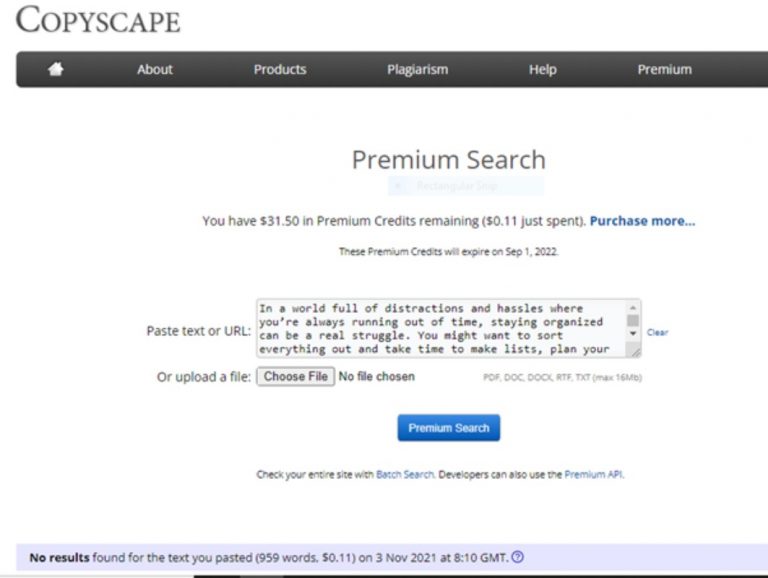
In a world full of distractions and hassles where you’re always running out of time, staying organized can be a real struggle. You might want to sort everything out and take time to make lists, plan your routine schedules, meeting, events and manage your productivity but it all seems to be very difficult to manage with long hectic working hours which makes you lose track of time and thus you fall behind.

Well not anymore. We are going to update you on the best organization apps that can help you boost your productivity and manage simple yet personal tasks of your everyday life in an effective manner. These apps are easily available out there and you can get the best out of them just with the help of a reliable and stable internet connection serving at your place, like Windstream Internet offering high speeds up to 200 Mbps and lets you enjoy unlimited internet without any data caps.

Here is a list of apps that you can use to organize everything from your thoughts to your shopping lists, family commitments, and doctor’s appointment:

Todoist

Todoist is a great app that you can use as a planner to make your to-do lists. This application can work well on different platforms and devices such as iPhones, mac books, android phones, tablets, and Windows providing users feasibility to connect with various plugins for browsers, emails, desktops, and laptops. It enhances collaboration, productivity, helps in organizing tasks, and sets schedules as well as deadlines.

The main benefit of the Todoist app is that its user friendly and it provides the edge to work offline too. It helps you to easily add and remove users from your tasks, create comment features, track login details, set reminders, and track productivity visualization allowing you to control all the disorderly lists and streamline all your thoughts ideas, and plans properly.

Dropbox

Dropbox has been around since 2007 and ever since its one of the best tools to keep your documents and data organized. It’s free and provides you with storage space of up to 2 gigabytes. Super user-friendly and easily accessible for working without an internet connection too. This cloud-based tool helps you manage your scattered content, facilitates coordinating, and offers a smarter way to work. Your data is continually getting synced is secured according to your preferred privacy settings.

Dropbox is easily available on iOS. Android, Windows, macOS, Linux, and Web. You can even use it in the workplace to keep all your teammates organized and on the same page by putting projects details, timelines, to-dos, and update on recent activities.

Evernote

Evernote is a powerful organizing app that comes with a variety of advanced features that helps you not only with note-taking but to manage your to-do lists, scan a business card, record voice memos, update your schedules and events with calendar integration, PDF annotation, and much more. It helps you organize your files by saving them in a specific project notebook that you can find even years later without losing any data.

This apps helps you attach your documents, photos, and PDF files and organize them according to your own preferences. You can keep a track of all your upcoming events, meetings, and appointments with the Evernote app that you can easily get from Apple Playstore, Google Play store, or Windows.  It has both a free version and a premium one which you can get according to your choice.

FamilyWall

When you have a bigger family where everyone is busy with their own routines and cannot manage to share updates and everyone’s schedules, FamilyWall comes to the rescue to keep you all connected and on the same page. You can easily get this app from your Apple or Google Playstore for free, however, they have an optional subscription available too.

It is one hell of a family management app that helps you share your calendars, chores, and shopping list with your family via messaging. You can track your grocery lists, plan dinners, arrange fun activities and locate your kids’ current location with this app. It’s the best app available in the market to organize your family time and to keep you connected with the people you love the most.

Files by Google

If you’re exhausted with all the clutter your phone has gathered from months or years and need to sort it out, then don’t worry. Our trusted friend Google has it sorted out for us with Files by Google. It is a neat tool specifically for Android phones. You can move all the access photos, videos, and files in this app and make your smartphone lighter again. Its amazing features self-cleans junk files, cache and boosts phone memory and performance.

You can easily find your stored pictures, videos, and data only with a few clicks. Files by Google also help you with making more room in your phone by cleaning temporary files, deleting the duplicate and unused files and apps on your phone that too at a really fast speed. So if you want to get started by organizing your phone then this is the app just made for you.

Wrapping it up:

There is no doubt in the fact that organizing your tasks gives you more clarity and increases your productivity rate. Gone are the days when you had to find a pen and diary to sit and make to-do lists to keep yourself organized. Technology advancements have made it so much easy for us to use simpler tools and organize ourselves even better. We have provided you with a list of apps you can use to make your life easy by organizing your everyday tasks and making the most out of them.

Optimize Your Organization’s Security Posture With SIEM

The recent increase in data breaches has led to a heightened sense of urgency for organizations to protect themselves better. Organizations must stay vigilant to maintain the high level of security necessary to protect their data by using security information and event management (SIEM) solutions.

SIEM solutions provide security and risk management professionals and managed detection and response (MDR) partners like Castra with powerful, real-time detection and analytics to detect threats, prioritize and respond to incidents proactively and monitor for security changes.

In this blog, you’ll learn what SIEM is, how it can benefit your organization, and the best practices to improve your organization’s security posture with SIEM.

What is SIEM?

SIEM is a security management system that aggregates and analyzes data from multiple sources to provide a comprehensive view of security events and identify potential security threats. Organizations use SIEM systems to detect, investigate, and respond to security incidents.

SIEM systems typically collect data from various sources, including firewalls, intrusion detection and prevention systems, web proxies, and system and application logs. This data is then analyzed in real-time to identify potential security threats. SIEM systems can also perform historical analysis to identify trends and patterns in security data.

What are the Benefits of SIEM?

There are many benefits of SIEM, including the following:

  • Real-time Detection Of Security Threats

SIEM systems provide near-real-time visibility into all activity occurring across an organization’s IT environment, enabling security analysts to quickly identify and respond to potential security threats.

  • Improved Incident Response

SIEM systems can help organizations improve their incident response times by providing the information needed to investigate and resolve incidents quickly.

  • Reduced False Positives

SIEM systems can help reduce the number of false positives generated by security alerts by providing more context around each alert.

  • Improved Visibility Into The Organization’s Security Posture

SIEM systems can provide organizations with valuable insights into their overall security posture. This information can help you identify improvement areas and modify the organization’s security posture.

  • Improved Compliance With Security Regulations

SIEM systems can help organizations comply with various security regulations, such as the Sarbanes-Oxley Act (SOX) and the Health Insurance Portability and Accountability Act (HIPAA).

  • Increased Efficiency In Security Operations

SIEM systems can help organizations increase the efficiency of their security operations by automating the tasks associated with data collection, analysis, and reporting.

SIEM

Best Practices For Implementation

There are a few essential practices you can do to optimize your SIEM solution:

  1. Ensure Data Collection From Relevant Sources

One of the most crucial practices for optimizing your SIEM solution is ensuring that data is being collected from all relevant sources. To do this, you’ll need to identify all of the data sources in your environment and configure your SIEM system to collect data from these sources.

  1. Configure SIEM System Settings

Another important thing you can do to optimize your SIEM solution is to configure the settings of your SIEM system. It includes setting up potential security threat alerts, defining what data is collected, and specifying how it is processed and analyzed.

  1. Migrate to the Cloud

Another good practice you can do to optimize your SIEM solution is to migrate it to the cloud. Doing so enables you to take advantage of the countless benefits of cloud-based SIEM solutions, including increased scalability, flexibility, and cost-effectiveness.

  1. Monitor SIEM System Activity

It’s also essential to monitor SIEM system activity to ensure its correct functioning by monitoring data collection and analysis and reviewing reports and alerts generated by the SIEM system.

  1. Maintain Essential Ongoing Vendor Support

Finally, it’s important to maintain essential ongoing vendor support for your SIEM system. To do this, you must consider regular patch management, software updates, and technical support for your SIEM system.

Is It For Me?

Now that you know what SIEM is and how it can benefit your organization, you might wonder if it’s the right solution for you. While SIEM is a great security solution, it’s not a silver bullet and won’t be the right solution for every organization.

Before deciding if SIEM is right for you, you must understand the requirements of your organization and the capabilities of SIEM solutions by asking yourself the following questions:

  • What are my organization’s security and compliance requirements?
  • What is my budget for a SIEM solution?
  • What are the capabilities of SIEM solutions?

After identifying the answers to these, you should have a good understanding of whether or not SIEM is right for your organization.

Final Thoughts

SIEM is an excellent solution for organizations of all sizes looking to improve their security posture and compliance with security regulations. If you’re looking for a SIEM solution, be sure to consider the requirements of your organization and the capabilities of SIEM solutions. Using these criteria, you can choose a SIEM solution to improve your organization’s security posture.

Nintendo Poke Ball Plus Stores – Full Overview

0

Grab a Poke Ball and begin your journey Nintendo Poke Ball Plus Stores

Nintendo Poke Ball Plus Stores – Feel like a real Pokemon Trainer as you travel through the Kanto region in the Pokemon: Let’s Go, Pikachu! or Pokemon: Let’s Go, Eevee! Games with Poke Ball Plus. Make a calm throwing motion to catch a Pokemon to feel and hear in the palm of your hand. Then, take your favorite Pokemon out for a stroll in Poke Ball Plus. Every accessory contains the Mythical Pokemon Mew! Just like with Pokemon GO Plus, you can use your Poke Ball Plus when playing Pokemon Go on a compatible smartphone to search for Pokemon easily.

Poke Ball Plus lights up, vibrates, and plays sound based on what you do in Pokemon: Let’s Go, Pikachu! or Pokemon: Let’s Go, Eevee! If a friend has a Poke Ball Plus of their own, they can help you catch and battle alongside you to make it a 2-player adventure. When you take your favorite Pokemon out with you in Poke Ball Plus, you can also gently shake it to hear the Pokemon inside! Connect Poke Ball Plus to the Pokemon GO app, and it will light up and vibrate when you’re near a Pokemon or Poke Stop.

  • Play Pokemon: Let’s Go, Pikachu!, Pokemon: Let’s Go, Eevee!, and Pokemon GO
  • Compatible with the Pokemon: Let’s Go, Pikachu! and Pokemon: Let’s Go! games on the Nintendo Switch scheme, as well as the Pokemon GO app on your compatible smartphone
  • The power of a Pokemon Trainer lies in the palm of your hand
  • Gently shake Poke Ball Plus to hear the Pokemon put inside from Pokemon: Let’s Go, Pikachu! or Pokemon: Let’s Go!

Nintendo Poke Ball Plus Stores Overview

Nintendo Poke Ball Plus Stores Overview

Like no one always was, Become the very best with the Nintendo Poke Ball Plus Controller.

Designed for the Pokemon: Let’s Go Pikachu! Let’s Go! Games, the Poke Ball Plus, allow an immersive experience. The Poke Ball Plus works like a Joy-Con controller. Move, battle, and navigate menus. Use motion controls to catch a wild Pokemon. The Poke Ball Plus lights up and vibrates in your hand when you see one. You’ll also hear the captured Pokemon’s unique cry. You can also take your Pokemon for a stroll in your Poke Ball Plus out in the real world. Every Poke Ball Plus contains the mythical Mew, a Pokemon that normal gameplay cannot obtain in any of the main Pokemon series games.

Poke Ball Plus controller works with your smartphone

Poke Ball Plus controller works with your smartphone Nintendo Poke Ball Plus Stores

The Poke Ball Plus controller also works with your smartphone and the Pokemon GO app. Just like with Pokemon GO Plus, you can use your Poke Ball Plus when playing Pokemon Go on a compatible smartphone to help you search for Pokemon. The Poke Ball Plus will light up when you come across a Pokemon. A simple button media lets you throw a virtual Poke Ball, and different LED light patterns will let you know if you’ve caught the Pokemon, all without having to look at your smartphone.

  • Compatible with the Pokemon: Let’s Go, Pikachu! and Let’s Go, Eevee! games on the Nintendo Switch
  • Compatible with the Pokemon GO mobile app and select smartphones
  • Use the motion controls of the Poke Ball Plus to capture Pokemon
  • The Poke Ball Plus lights up, vibrates, and plays the Pokemon’s unique cry when you catch them
  • Take your Pokemon on a walk in the actual world
  • When you’re out and about, mildly shake your Poke Ball Plus, so it vibrates, and the Pokemon inside will make a sound
  • The Poke Ball Plus comes with the mythical Mew, which can’t remain obtained through regular gameplay. Instead, you’ll need the Pokemon: Let’s Go, Pikachu! or Go! Game, an Internet joining, and a Nintendo account to transferal the Mew to your game.